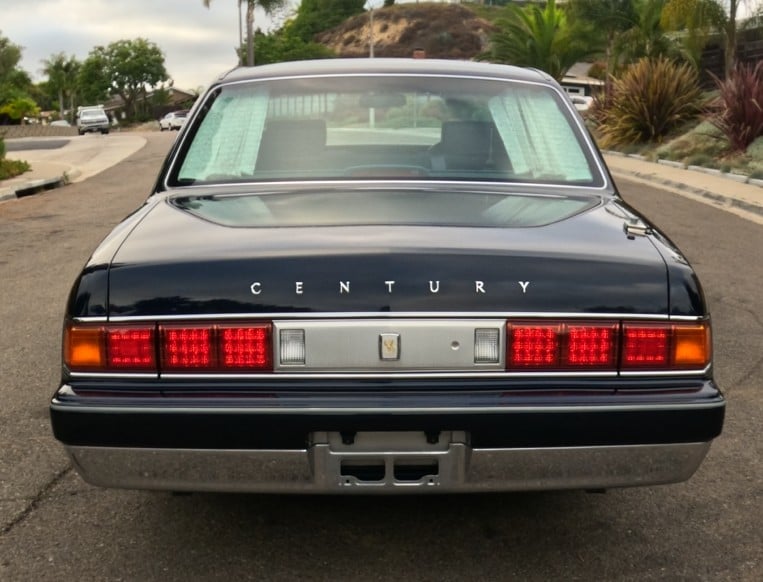
Toyota Aristo · Audio upgrades
Beat-Sonic MVA-31 for the Toyota Aristo: Fitment, HVAC Parts and Audio Planning
A modern head unit can make a JZS160 or JZS161 Aristo easier to live with. The factory navigation system makes the conversion more involved than a simple radio swap. Before buying a kit, identify the production date, navigation type and sound system.
Updated October 28, 2026 · By Jason, Tanin JDM · Originally published August 21, 2025
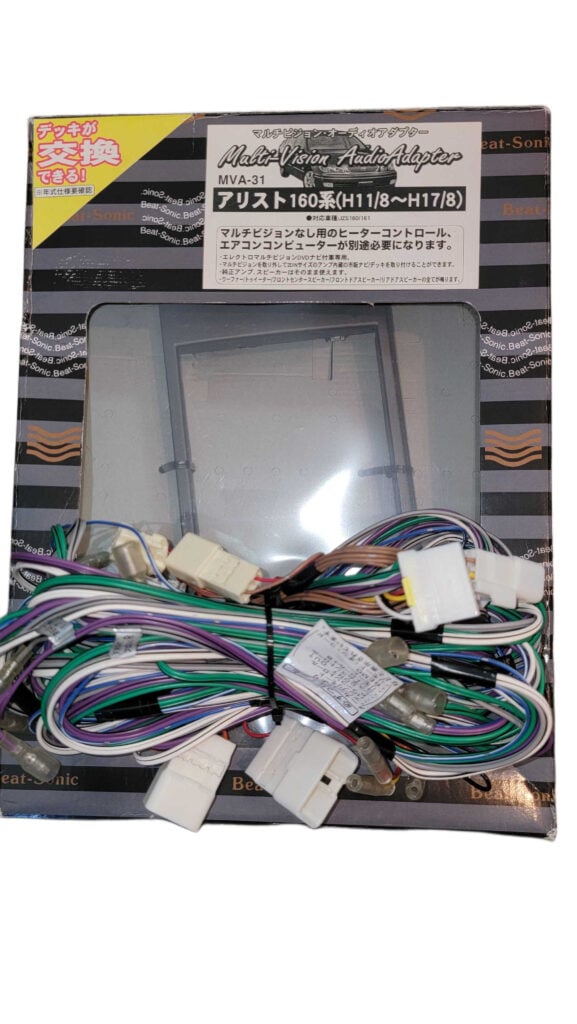
The part buyers often miss
Beat-Sonic specifies a heater-control panel and A/C computer suitable for the non-multivision configuration. Both must be checked for the particular car. The MVA-31 alone does not replace the climate-control system.
Which Aristo does the MVA-31 fit?
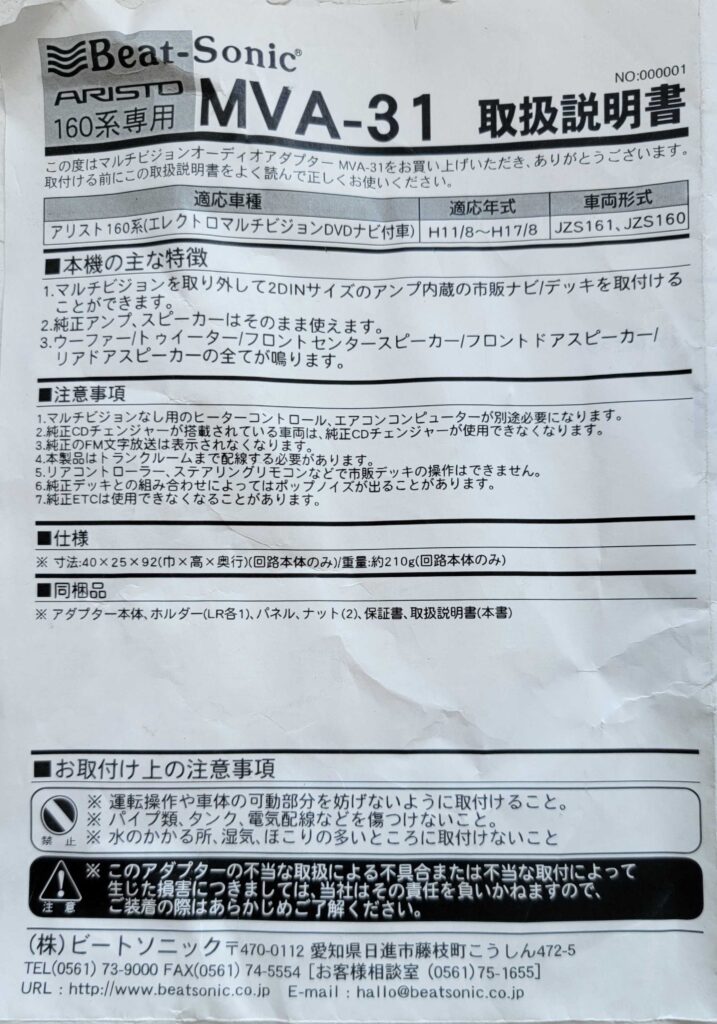
Beat-Sonic lists August 1999–August 2005 JZS160/JZS161 cars with factory DVD Electro Multi Vision navigation and the eight-speaker JBL Premium Sound system. Production month and the original system matter more than a seller’s “Series 1” or “Series 2” label.
| Original system | Manufacturer fitment direction |
|---|---|
| DVD EMV navigation, JBL eight-speaker, Aug 1999–Aug 2005 | MVA-31; confirm the exact vehicle and kit revision. |
| Earlier EMV navigation, Aug 1997–Aug 1999 | MVA-32 is separately listed and discontinued. It is not interchangeable with MVA-31. |
| No factory navigation, JBL eight-speaker | Manufacturer lists SLA-31A rather than MVA-31. |
| Six-speaker DIN radio or a Lexus GS | A different application. Do not order MVA-31 on chassis resemblance alone. |
Use Beat-Sonic’s Toyota fitment chart ↗ and send photos if the system has already been modified.
Build a complete parts plan before removing the dashboard
The kit allows removal of the original multivision assembly for an amplified double-DIN aftermarket deck while retaining the compatible factory amplifier and speakers. CarPlay, Android Auto, navigation, microphones and cameras depend on the head unit and accessories you choose.
- Identify the car. Supply the chassis number, production date, dashboard photo and factory audio details. Record any existing aftermarket wiring or amplifier changes.
- Match the HVAC components. Verify the heater controls and A/C computer by chassis and production date. Do not assume an LS430 climate panel is a direct substitute.
- Select the head unit. Confirm speaker-level outputs and the manufacturer’s integration requirements. RCA pre-outs alone are not the specified input arrangement.
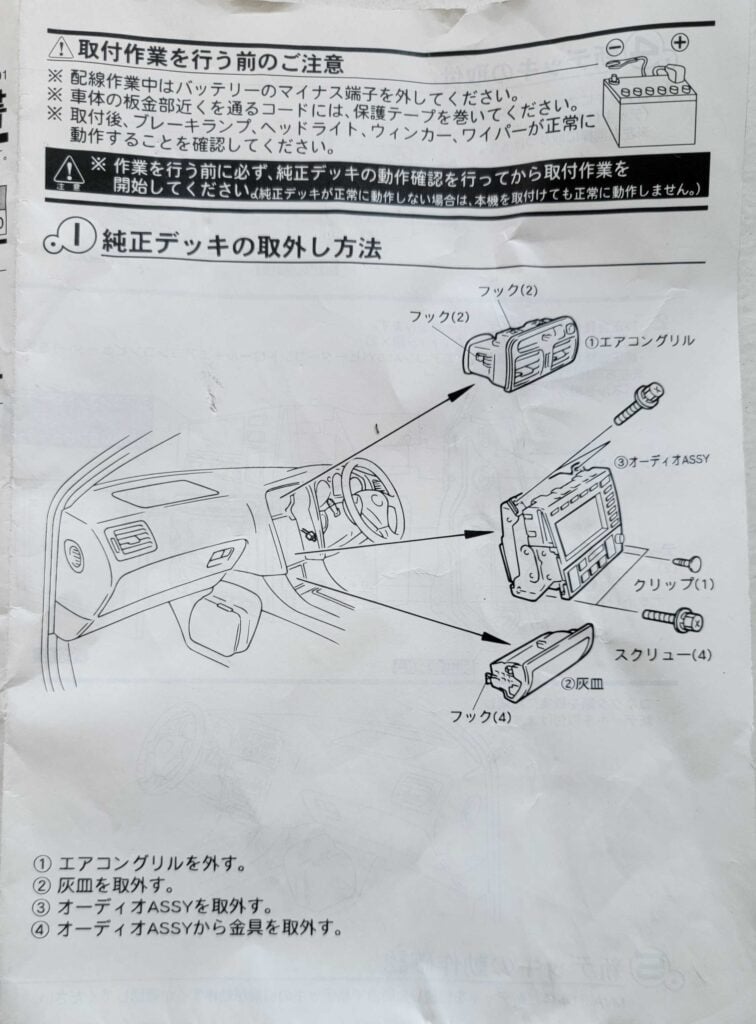
- Plan the installation. Account for wiring to the trunk-mounted amplifier, original mounting hardware, microphone and USB placement, antenna connections and any camera work.
- Check the whole quote. Include the kit, HVAC parts, radio, accessories, installation, diagnostic time and any existing faults that need repair.
A prior conversion can change what is needed. Photograph connectors and part labels before ordering, and keep the removed original equipment where practical.
What changes after the conversion?
The compatible original amplifier and speakers remain in the system. That does not mean every original audio feature remains available. The factory CD changer and original remote-control functions are not retained through the kit. Existing ETC equipment also needs review during installation.
Expectations should be agreed before work begins: which controls will operate, whether the camera will be retained or replaced, and which functions the new radio provides. A steering-wheel-control interface or other accessory needs its own verified application; do not assume it will restore every function.
Diagnose no-sound problems systematically
Check the actual system against the kit instructions, then verify the head unit’s output configuration, amplifier turn-on connection, power, grounds and connector seating. Inspect previous wiring changes rather than assuming the new adapter is faulty.
Beat-Sonic also publishes a compatibility notice for some Panasonic navigation units from model year 2022 onward. Review the current product notices when choosing a radio.
Test more than music playback
Before final reassembly, test HVAC operation, all speakers, balance and fader, radio reception, phone calls, USB connections and any camera. Check for noise with the engine running and confirm the functions promised in the quote.
Manufacturer instructions and archived reference photos
Current MVA-31 product information ↗ · MVA-31 installation manual (PDF) ↗
View our MVA-31 manual reference photos
Archived photographs from the original article. Use the current manufacturer manual for your kit revision; open any image to read it at full size.
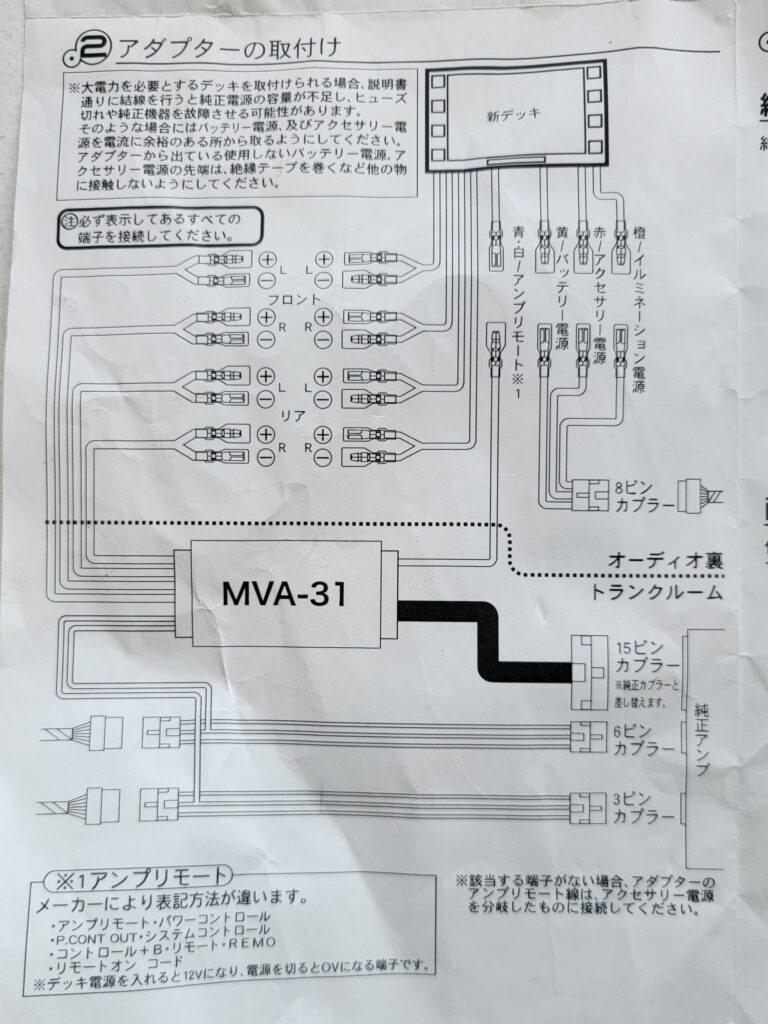
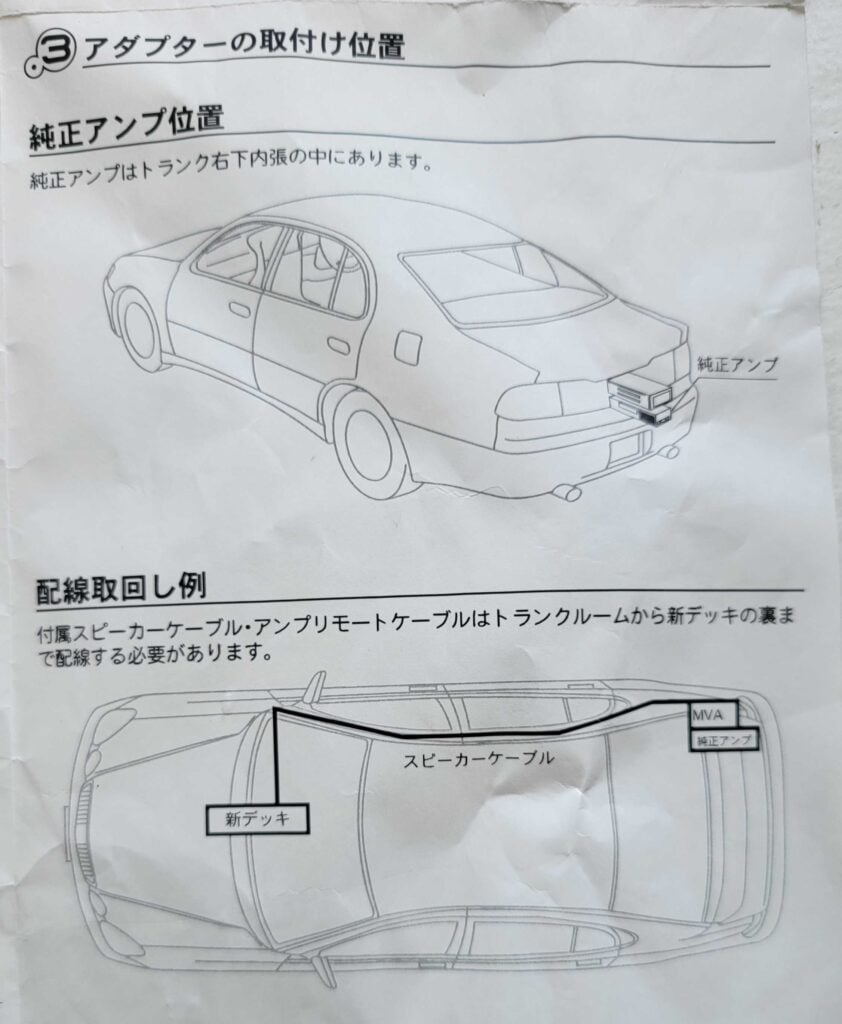
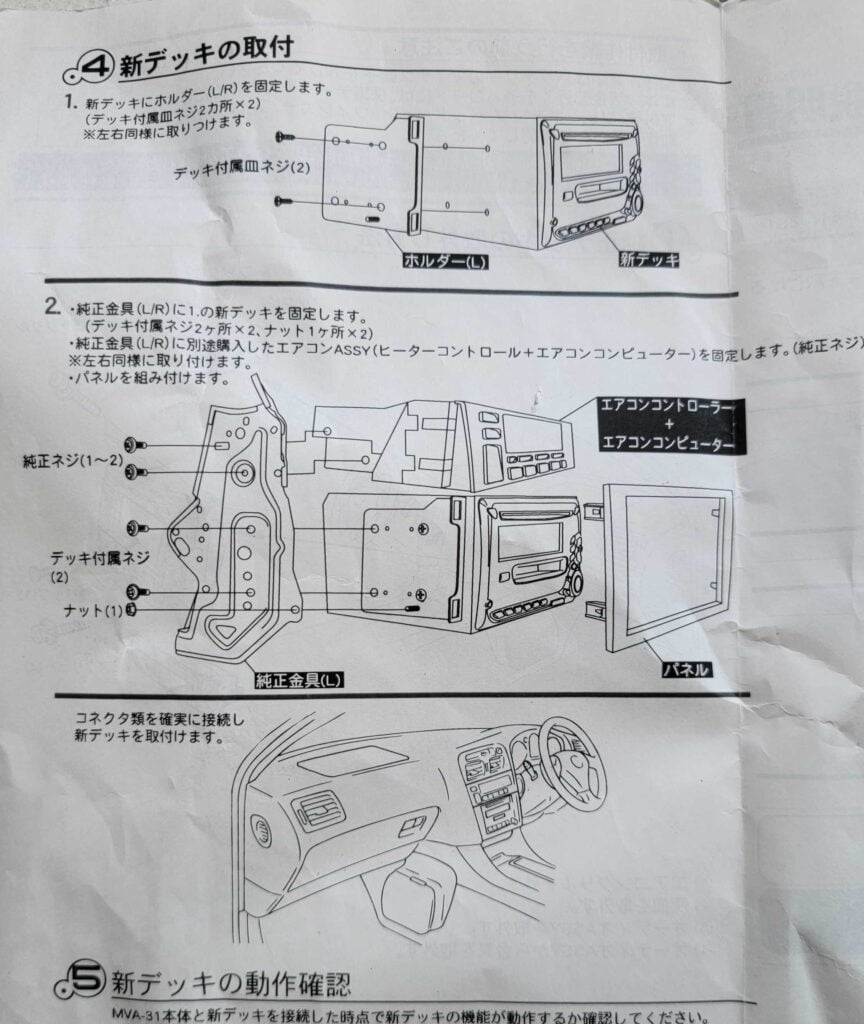
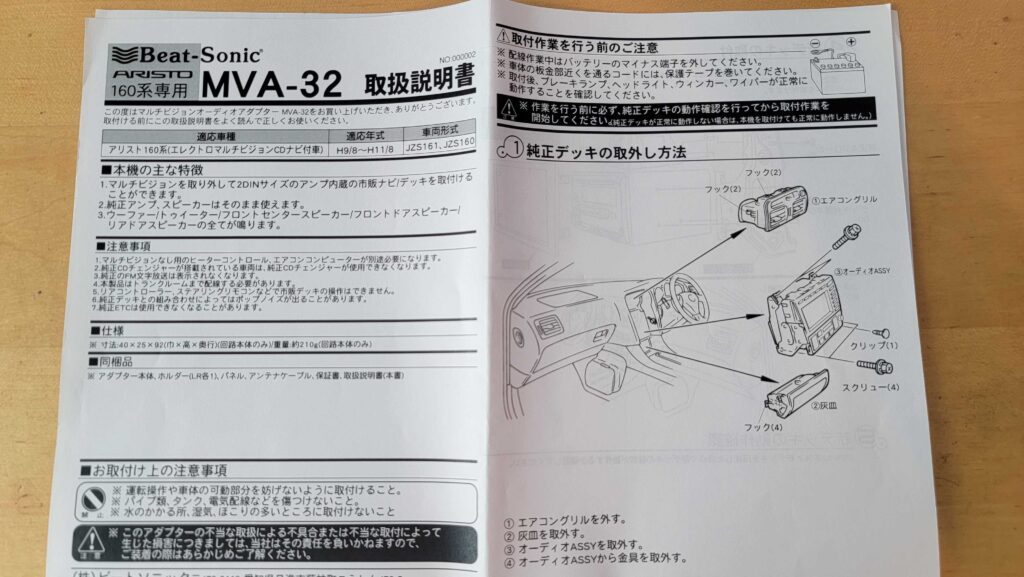
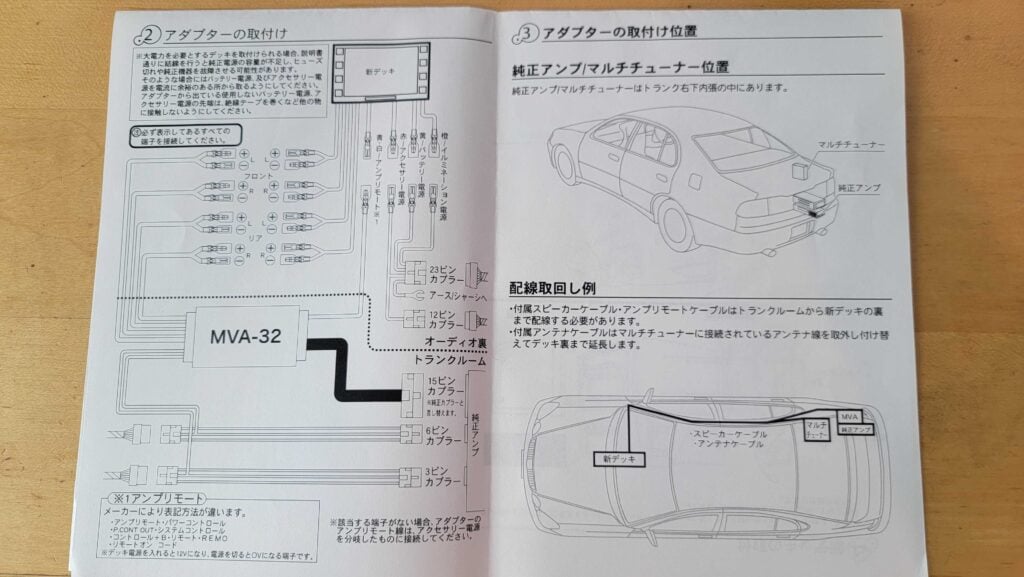
Early Aristo: separate MVA-32 reference photos
These archived MVA-32 photographs concern a different adapter. Do not use them as the MVA-31 wiring diagram. The earlier kit is listed as discontinued by Beat-Sonic.
Before you buy
Will this kit fit a U.S.-market Lexus GS300, GS400 or GS430?
Do not assume so. Beat-Sonic does not list the Lexus GS as an MVA-31 application. Confirm a kit specifically for the car’s market, steering position and original audio system.
Is this a plug-and-play CarPlay upgrade?
It is an integration kit for a compatible aftermarket head unit, with additional HVAC components and installation work required. CarPlay is a feature of the selected head unit, not the MVA-31 adapter.
Can Tanin JDM help plan the conversion?
Send your chassis and dashboard details. We can assess the existing system and discuss parts, fitment and installation at our Caledonia, Wisconsin shop.
Plan the upgrade around your Aristo
Tell us what is installed now and what you want the finished system to do.
Ask about your audio upgradeExplore service
Call or text Rob: (619) 359-8638